What are the applications of this continuous vacuum band sealer?
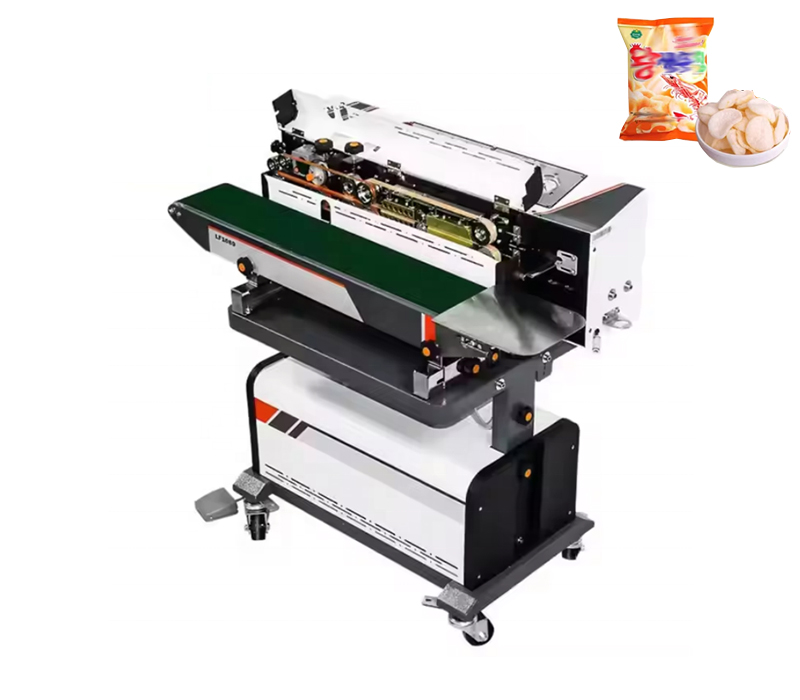
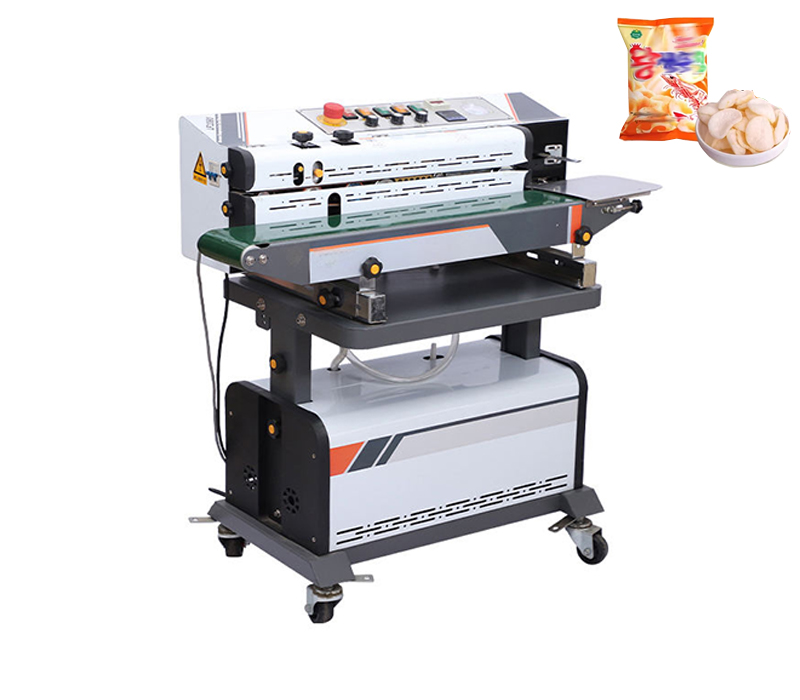
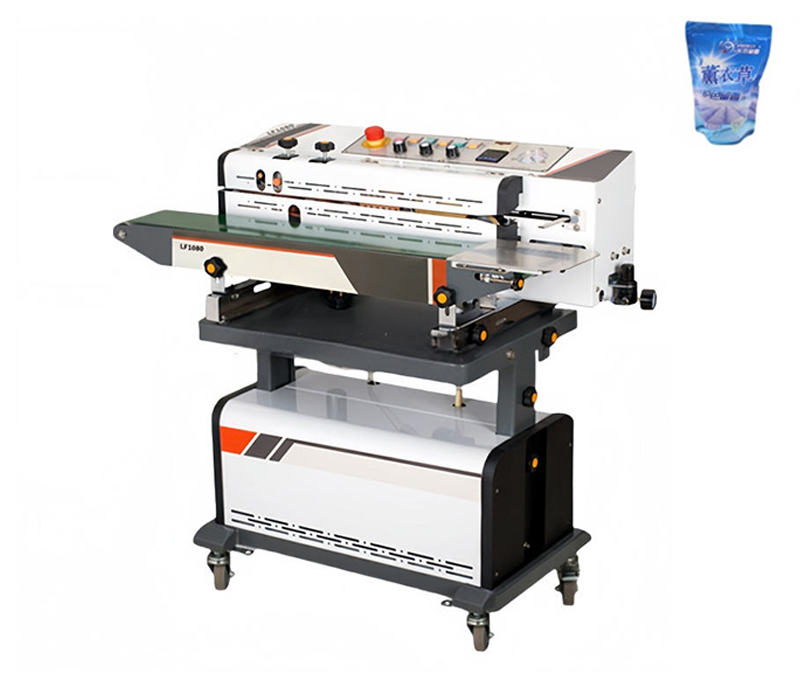
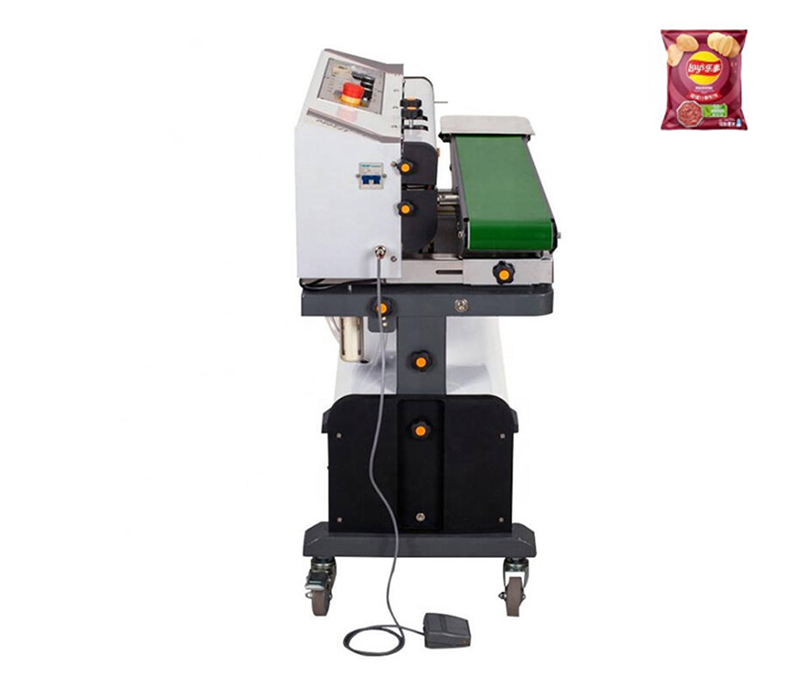
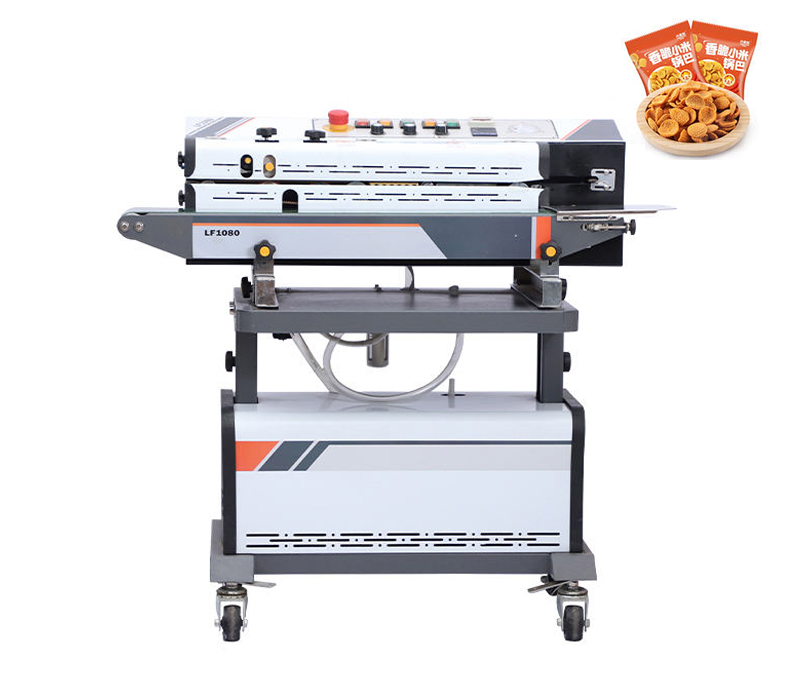
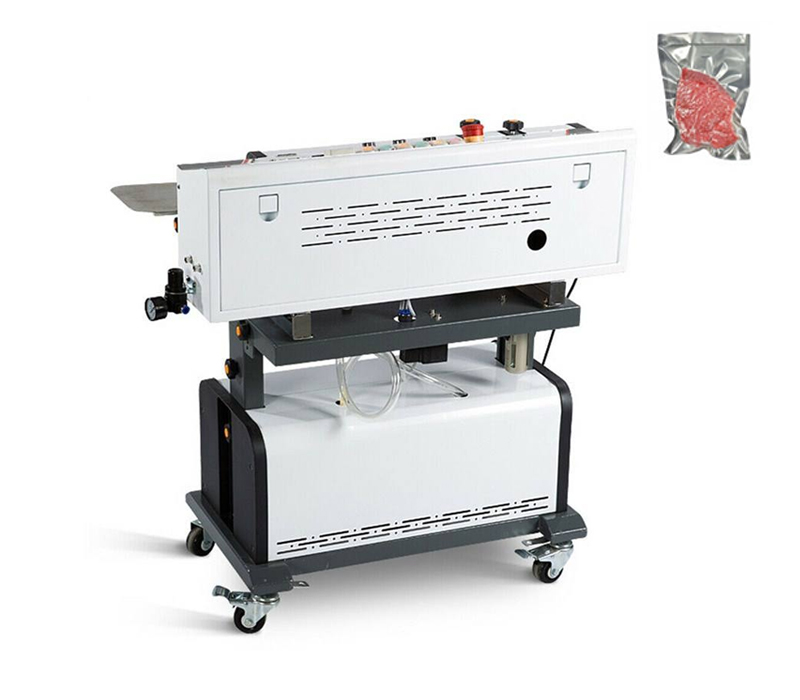
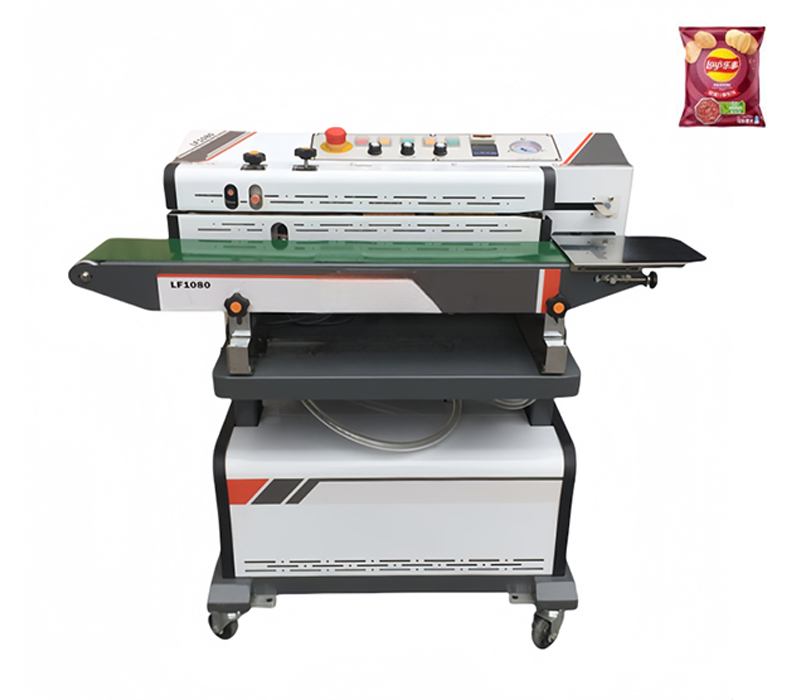
This advanced, fully automatic continuous vacuum band sealer is designed for high-efficiency packaging in the food, pharmaceutical, and chemical industries. It seamlessly combines sending, vacuum, inflation (such as nitrogen or other gases), sealing, and coding functions into one continuous process. Ideal for sealing various types of bags—including aluminum foil, plastic, composite, kraft paper, and tea bags—it helps preserve freshness, extend shelf life, and ensure packaging safety. Suitable for producing puffed food bags, vacuum-packed products, and nitrogen-flushed packages, it improves production efficiency while maintaining consistent quality.
– Suitable for sealing aluminum foil, plastic, composite, kraft paper, and tea bags.
– Used in the food industry for puffed food, snacks, and fresh produce packaging.
– Employed in pharmaceutical and chemical sectors for secure, airtight packaging.
– Ideal for producing vacuum and nitrogen-flushed packages to enhance product freshness and shelf life.
This machine is a versatile, efficient solution for modern packaging requirements, combining multiple functions into one seamless system to optimize productivity and packaging quality.
What are the recommended setup and inspection steps before powering the continuous vacuum band sealer?
– Place the machine on a flat surface.
– Remove the outer packaging.
– Ensure proper grounding.
– Before powering on, inspect all parts for loosening or displacement that may have occurred during transportation.
– If any issues are found, adjust them immediately before use.
– Manually rotate all shafts to verify flexible rotation and smooth movement.
– Check that all conductive leads are securely fastened to their clamps.
– Ensure there are no overlaps, friction, or hooks with the rotating, sliding, or lifting mechanisms that could affect normal operation.
Note: If you’re unsure about any step, refer to the user manual or contact the manufacturer for guidance. Do not operate the machine until all inspections are complete and any issues are resolved.
What are the essential setup steps, and initial operating settings for the continuous vacuum band sealer?
– Adjust the gaps between the upper and lower heating blocks, and between the upper and lower cooling blocks according to the material being sealed. The optimal gap is approximately the thickness of one layer of packaging bag to ensure a strong seal and clear knurling without excessive stretching at the ends.
– Set the conveyor table to the appropriate position according to work requirements.
– Connect the power supply and turn on the power switch. After the power indicator lights up, adjust the speed control to synchronize the operation of all transmission components.
– Fine-tune the embossing wheel adjustment knob to rotate the embossing wheel. Once the desired pressure is reached, tighten the limit screw.
– Turn on the heating switch. When the electronic temperature controller lights green, set the temperature to the required level based on the packaging material and thickness. Start the machine at a low speed during preheating.
– Decide whether to turn on the cooling fan based on the material and thickness.
– If vacuuming is required, turn on the vacuum switch; if printing is required, turn on the printing switch. Then adjust the speed control knobs for the left and right printing positions. Ideally, the printing speed should match the sealing conveyor speed.
If you’re unsure about any step, consult the manual or contact us for guidance before operating the machine.
What are the proper steps for feeding the bag, cleaning the sealing area, and shutting down to protect the sealing tape for the continuous vacuum band sealer?
– Bag feeding: Align the sealing edge of the packaging bag and lay it flat. Feed the bag into the inlet. When the sealing tape bites the sealing edge, the bag will automatically move forward. Do not push or obstruct the bag at this time, or it can cause wrinkles or a defective seal.
– Cleaning: If dirt is found on the sealing tape or heating block, stop the machine immediately and clean it. Do not touch these areas with bare hands when the temperature is high to avoid burns or injuries.
– Shutdown to preserve tape life: Before shutting down, return the temperature controller knob to zero and turn on the cooling fan. The sealing tape should continue running. After a period of cooling, when the heating block temperature is confirmed to be below 80°C, turn off the cooling fan and then the power switch.
What are the common fault symptoms, their causes, and recommended solutions for the continuous vacuum band sealer?
1. Sealing deviation
– Cause: The driving and driven wheels are not parallel
– Solution: Adjust the two screws on the driven wheel until the deviation stops
2. Sealing tape cracks easily
– Causes:
– Sealing tape too tight
– Sealing tape runs along the edges
– Sealing tape has creases
– Sealing tape surface has adhesive film or contaminants
– Sealing tape ages easily
– Solutions:
– Adjust the longitudinal adjustment screw on the driven wheel to ensure proper tension
– Refer to the above adjustments and adjust or replace tape to avoid creases
– Remove any adhesive or dirt from the tape surface promptly
– Adjust the gap between heating blocks; if overheating is the cause, set to an appropriate temperature
3. Unclear knurling
– Cause: Heating element inside the ink roller is not heating or temperature is too low
– Solution: Check that the ink roller heating switch is on, verify the heating element is not burnt out, and adjust the printing speed control knob
4. Unclear printing
– Causes:
– Heating element inside the ink roller is not heating or temperature is too low
– Ink in the ink roller is low
– Pressure between ink roller and printing roller is too low
– Solutions:
– Check the ink roller heating switch and heating element
– Add ink to the ink roller
– Check and adjust the spring between the ink roller and printing roller; replace if faulty
– Adjust the printing speed control knob
5. Low vacuum
– Causes: Vacuum pump faulty or vacuum line blocked
– Solutions: Repair/replace the vacuum pump; clean the vacuum line
6. Resistance during sealing tape delivery
– Cause: Gap between heating block or cooling block is too large, causing excessive friction
– Solution: Adjust heating/cooling block gaps to proper spacing for smooth delivery
7. Insufficient inflation pressure
– Causes: Sensor switch not turned on or improperly adjusted
– Solutions: Adjust the sensor plate; set the pressure valve to the required pressure
8. Packaging bags obstruction or deflection at the intermediate pressure roller or embossing roller
– Causes: Embossing roller too tight
– Solutions: Replace or adjust the embossing roller; adjust the gap and limit screw
9. Conveyor belt misalignment
– Cause: Drive roller shaft and driven roller shaft are not parallel
– Solution: Adjust the conveyor belt tension at both ends of the rear driven shaft to make shafts parallel and ensure proper belt tension
10. Conveyor belt tension uneven or asynchronous
– Causes: Improper tension on drive and middle belts
– Solutions: Properly tension the drive and middle belts for full contact with rollers; ensure belt is tightened adequately
If issues persist after these checks, refer to the user manual or contact the manufacturer for guidance.
What are the essential maintenance and repair guidelines for the continuous vacuum band sealer?
– Keep the machine body clean and dry, and ensure proper ventilation for electrical components.
– Before repairing the machine, turn off the main power and gas supply. Repairs should be performed by qualified personnel or by contacting our company for assistance.
– For extended periods of inactivity, the power switch must be turned off.
– Before starting work each day, check that all screws on moving parts are secure.
– Special safety note: When adjusting the machine, do not place any part of your body on any movable part to avoid burns or injuries.

Leave a Reply